Agent API keys
The Agent API Keys section allows for managing API keys for infra servers. It is split into the following tabs.
My keys, which shows all keys generated for the currently authorized user.
All keys, which shows all keys for all users.
Both tabs display grids of API keys and their properties.
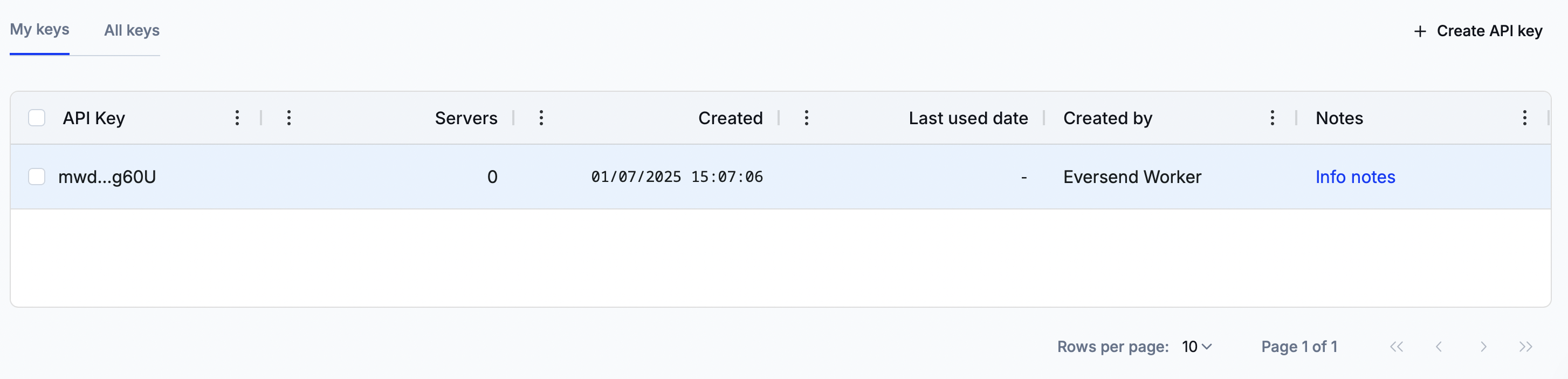
These grids have the following columns.
Column name | Definition |
|---|---|
API Key | The abridged contents of the API key. |
Servers | The number of servers that recognize the API key. |
Created | The date and time when the key was created. |
Last used date | The date and time when the key was used last. |
Created by | The workspace member who created the key. |
Notes | The custom notes attached to the key. |
Creating a new API key
To add a new API key, click on ‘Create API key’.
The newly opened window will contain the key contents. Copy and store them in a secure location as they cannot be retrieved later.
Managing notes
An API key can be attached with a custom text note. To do so, click on the current note text in the ‘Notes’ column and set a new note or amend an existing one.